
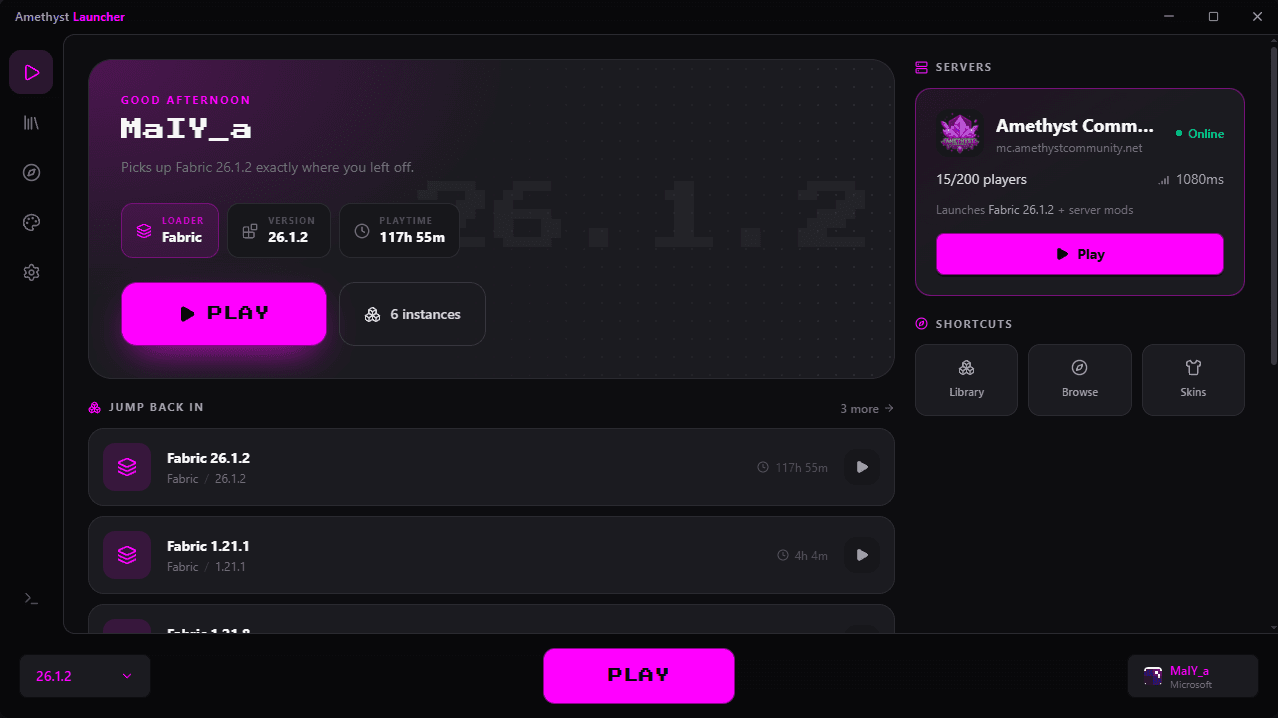
Download
Grab the installer and run it. It takes a few seconds.
Sign in
Log in with the Microsoft account that owns Minecraft.
Play
Pick a version or modpack and hit PLAY.
Everything in one place
Features
Modrinth built in
Search and install mods, resource packs and shaders from Modrinth without ever leaving the launcher.
Fabric & Forge
Spin up any Minecraft version with Fabric or Forge in one click. Every instance stays fully separated.
Microsoft accounts
Sign in securely with Microsoft, keep several accounts and switch between them instantly.
Skins in 3D
Preview skins on a live 3D model, keep a library of favourites and apply one in seconds.
Java handled for you
The right Java runtime is downloaded and configured for every version. No manual installs, ever.
Smooth play
Opens fast and stays light on memory, leaving more RAM for the game so every session runs smooth.
Automatic updates
Signed updates download and install themselves, so you're always on the newest build.
Import your instances
Bring existing instances over from Prism Launcher and MultiMC: worlds, mods and all.
Themes & Rich Presence
Pick Amethyst, Blue, Green or Light, and show friends what you're playing on Discord.
Official server
Amethyst Community
Join straight from the launcher's home screen. The right version and server mods are set up for you automatically.
Online · 16/200 players
Ready when you are
Download

Amethyst Launcher
Amethyst.Launcher_1.1.0_x64_en-US.msi
- Version
- v1.1.0
- Released
- Oct 11, 2026
- Size
- 8.4 MB
- Platform
- Windows x64
Questions
FAQ
Is Amethyst Launcher free?
Yes, completely. You only need a Microsoft account that owns Minecraft: Java Edition.
Which platforms are supported?
Windows 10 and 11 (64-bit) today. The installer is a standard .msi that installs per user.
Windows SmartScreen warned me about the installer. Is it safe?
SmartScreen flags new apps that haven't built up download reputation yet. Click “More info” → “Run anyway”. Every build is produced from the public GitHub repository.
How do updates work?
The launcher checks for new releases on start-up and installs signed updates automatically. You can always grab the latest build from this page too.
Can I keep my existing worlds and mods?
Yes. Use Import to bring instances over from Prism Launcher or MultiMC, or drop your files into an instance's folder from the Files tab.